Shogi and Mini Shogi
Sometime around mid-August 2026 I viewed a YouTube
interview with chess grandmaster Larry Kaufman who talked about
learning the game of Shogi (Japanese Chess), and how
that endeavor had helped improve his (western) chess game.
Kaufman’s
story made me want to know more about Shogi. I found three off-line
Shogi game playing applications. Each accepts several engines, but none
of the three play the ‘Mini Shogi’ variant.
Shogi—the full game,
not the mini version—is
challenging to learn in adulthood and beyond. It is probably like
everything else, better to learn in the formative years. While
Shogi is played on a 9 x 9 board, the Mini version requires only a 5 x
5 board. Each side
has just one pawn, and one each of the gold and silver pieces, along
with the two major pieces bishop and rook. There is no knight or lance.
The reduced game is
said to be a good introduction to the more complex game.
The Nintendo Switch
game console includes
Mini Shogi in its 50+ games collection. Not surprisingly, the Nintendo
version
is highly polished. There are also some on-line implementations.
However, I
found only
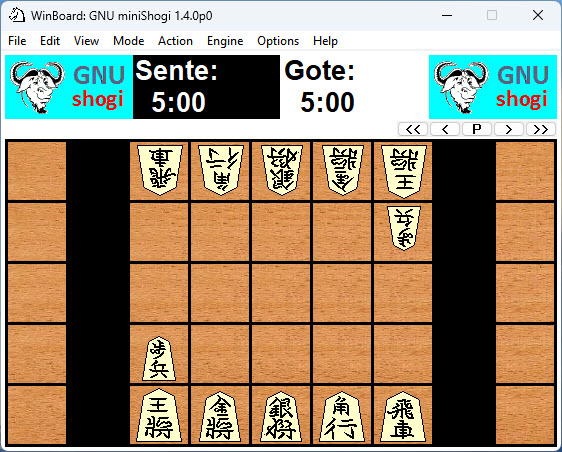
one standalone computer version, which I will describe below. It uses
an
adaptation of the WinBoard chess display utility (GPL). My last
WinBoard download was three computers ago in 2015. The ‘About’ for that
version cites Digital Equipment Corporation (1991) as the original
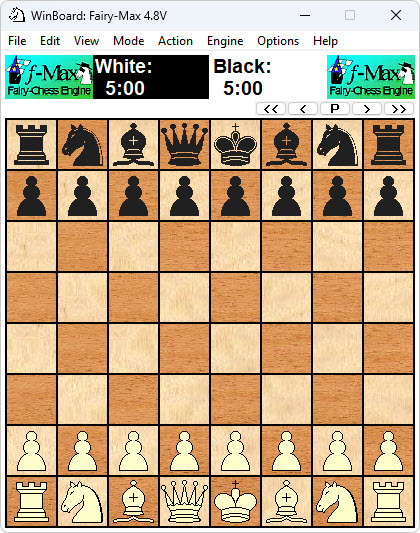
author! The 2015 WinBoard chess setup is shown below. One of the
included engines
‘Fairy-Max’ is shown
selected for both colors. I stopped using WinBoard after the Arena
chess platform became available.
WinBoard for chess and an adaptation of WinBoard for Mini Shogi are
available for download from this fascinating website. For example, one sub-page
describes
the standalone (off-line) Mini Shogi adaptation. There
is a
nice diagram of Mini Shogi at the top of the page, and a link to the
downloadable adaptation of WinBoard for Mini Shogi. The nubati.net page
is
dated
2016, so this is old stuff.
One nice feature of Nintendo Mini Shogi is that the pieces and game
record, etc. are in English (or can be set to English). The same
is true of the WinBoard adaptation. The other full Shogi applications
that I downloaded are in Japanese. The game record in at least one of
them can be rendered in English. However, annotations or variations are
in Japanese. If interested in the game recording aspect of Shogi, see
my write-up
describing a small Python
program for translating Kifu game records to
western PGN-like format.
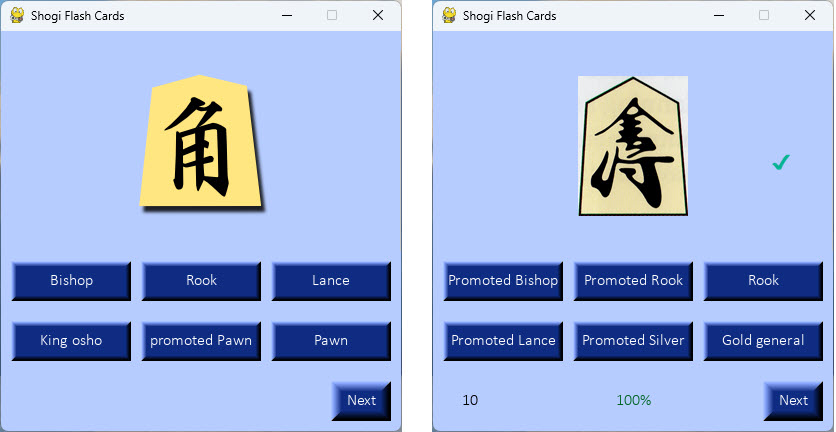
Kanji piece symbols have esthetic appeal to the western eye (or at
least to mine) and are not hard to learn with the help of flash cards!
To that end I wrote another Python program that presents images of
Shogi pieces in flash card format. Each card presentation includes one
correct answer, and five
pseudo-random distractors. I subsequently generalized the program
to deal with arbitrary sets of flash cards, and plan to post it along
with a
‘How to’ document soon.
The feel of a Shogi or Mini Shogi game—piece movements, attack and
defense,
piece promotion, where to drop a captured piece, etc.—is harder to
grasp than the analogous aspects of international chess. I thought it
might be instructive to replay a recorded computer
game on a physical board. Therefore I recorded a two-engine game,
which Sente won by checkmate on move 68. The game record looks similar
to chess algebraic notation (PGN format).
1.
Sb2 Sd4 2. Bc2 Bc4 3. Rd1 Gc5 4. Rc1 Gb4 5. Re1 e3 6. Rd1 Bd5 7.
Rd2 Gc4
8. Rxd4
{+0.52/17 10} Kxd4 {-1.20/17 8} 9. S@b3 {-400.00/18} Gc5
...
...
65. +Bxc4
{+399.84/7} b1+ {-399.88/6} 66. Kxb1 {+399.88/5} Rc1+
{-399.92/4}
67. Kxc1
{+399.92/3} d3 {+0.00/1} 68. +Bxd3# {+399.96/1}
Half moves are normally counted in Shogi. If this had been a Japanese
game record, the last move would have been number 135. I started
to replay the game on the wooden board but soon encountered an
impossible play, indicating a mistake. After starting over at the
beginning 3 or 4 times I thought to snap a cell phone photo of the
position after move 20, in order to avoid having to replay the first 20
moves. After safely passing move 30 I snapped that position, and again
at move 40, etc. After a long struggle, I made it all the way to
the end.
In chess the ‘+’ sign indicates a check. In shogi English language
notation ‘+’ means promotion. For example, on move 65, Sente’s promoted
bishop captures a piece on c4 and Gote moves a pawn to b1, promoting
it. In Shogi the ‘@’ symbol denotes a drop. On move 9, for example,
Sente dropped a previously captured silver on b3. Both chess and
Shogi (English version) use ‘#’ for checkmate and {} to surround
comments. Once I became accustomed to the drop ‘@’ in Mini Shogi
notation, and promote ‘+’ symbols, my skill at replaying games improved
considerably!
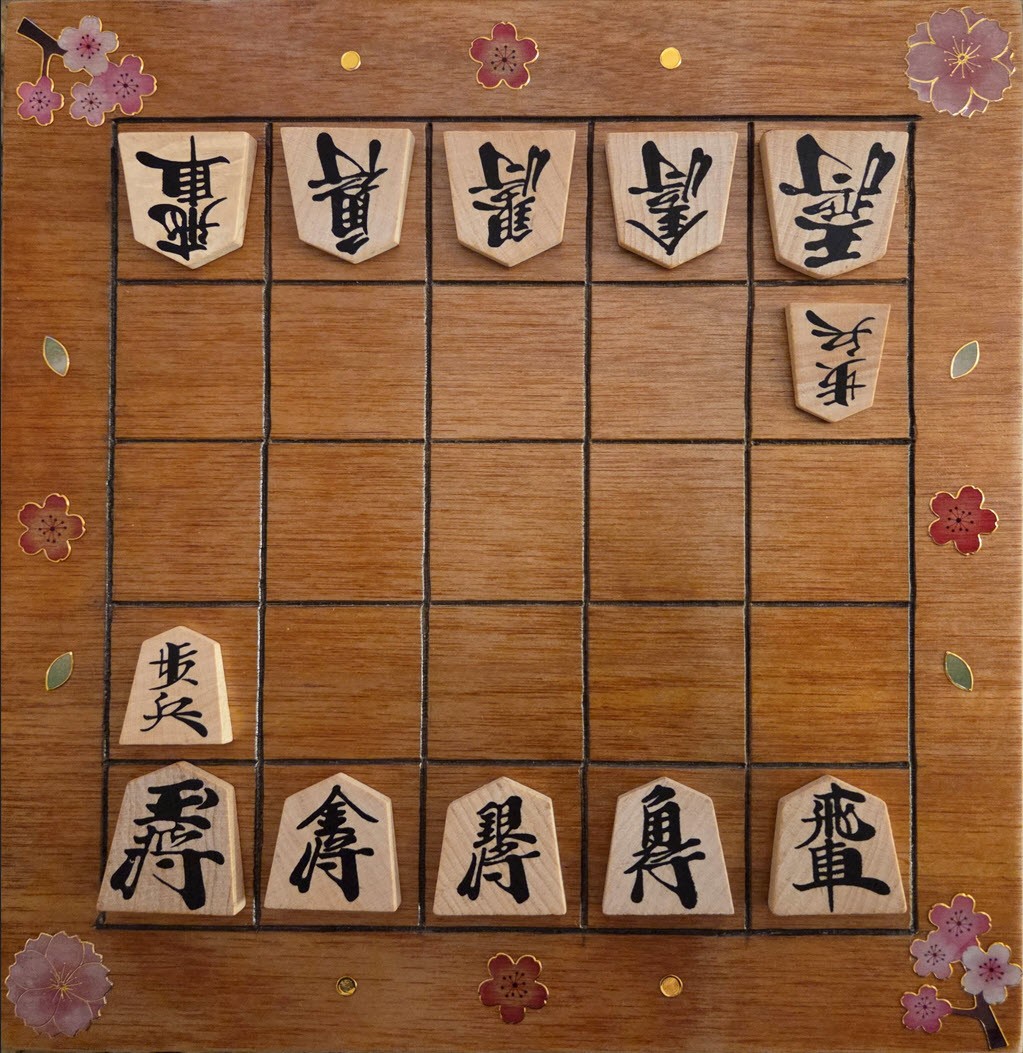
It is easy, of course, to replay a Mini Shogi game in WinBoard as the
application has the usual forward, reverse, restart from beginning,
etc. buttons. However, I had made a physical board for Mini Shogi,
complete with decoration! The dimensions are 8-inches (20 cm) square.
Normally, Shogi boards are longer in the vertical dimension, as the
pieces are rectangular, not square. However, that scrap of wood is what
was available to use. The pieces were borrowed from a full Shogi set
purchased from Amazon (this one).
So far I have enjoyed learning how the pieces move and a little bit of
strategy. My score against Gnu Mini Shogi is about one win per ten or
twenty losses. Gnu appears to be the weakest of the WinBoard included
engines. The computer has won every full 9 x 9 Shogi game that I've
played, and very quickly. That exercise is likely a lost cause, but
hope springs eternal.
Project descriptions are intended for entertainment only.
The author makes no claim as to the accuracy or completeness of the
information presented. In no event will the author be liable for any
damages, lost effort, inability to carry out a similar project, or to
reproduce a claimed result, or anything else relating to a decision to
use the information on this page.