DOS
to Windows WiFi Interface
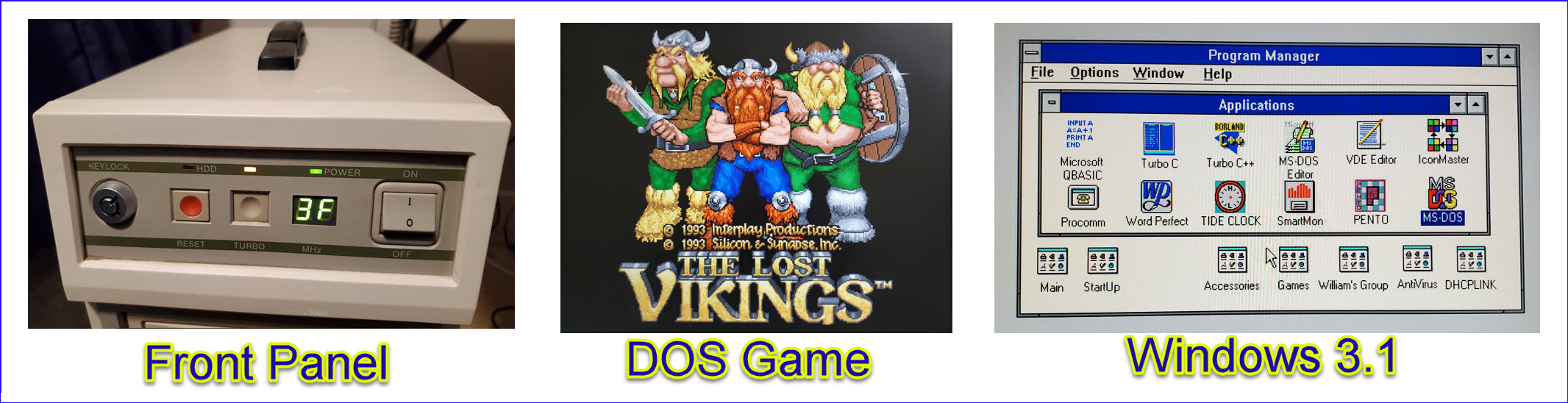
 Blast from the past: A recent ham radio interface
project caused me to think of another related idea, a way to interface
an old DOS computer via WiFi, with a view to retrieving interesting
files from it. The DOS computer contained hundreds of WordPerfect 5.1
documents, letters, recipes, kids school projects, etc. that are no
longer to be found on paper or any other accessible medium. Plus it had
30+ year
old programs that I’d written in BASIC and Turbo C and other computer
languages that were popular in those days. I thought it would be fun to
read
through or at least skim some of these.
Blast from the past: A recent ham radio interface
project caused me to think of another related idea, a way to interface
an old DOS computer via WiFi, with a view to retrieving interesting
files from it. The DOS computer contained hundreds of WordPerfect 5.1
documents, letters, recipes, kids school projects, etc. that are no
longer to be found on paper or any other accessible medium. Plus it had
30+ year
old programs that I’d written in BASIC and Turbo C and other computer
languages that were popular in those days. I thought it would be fun to
read
through or at least skim some of these.
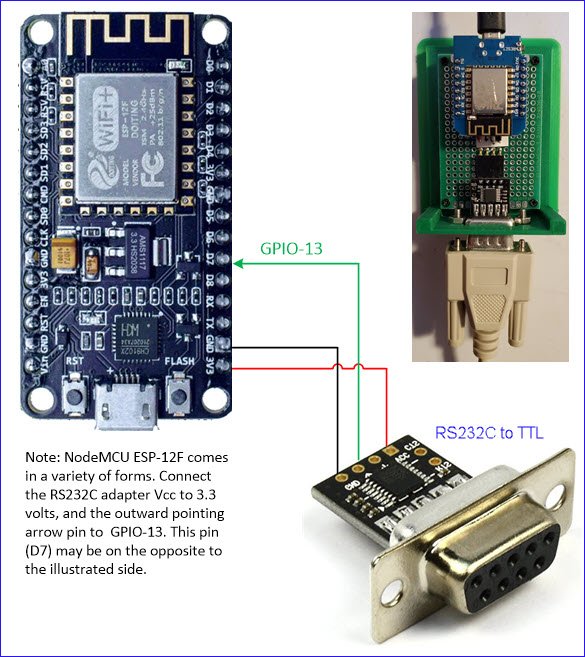
The physical interface is possibly the simplest I’ve
ever made, not to mention the least expensive. The RS232-to-TTL adapter
cost just under $10 (US) and the ESP-12F came in quantity 10 for $25
($2.50 per unit), both from Amazon. The software (Arduino sketch) was also minimal,
basically a loop that reads from a designated
software-serial receive pin on the WiFi board (GPIO-13) and transmits
UDP (datagrams) to a Windows computer on the home LAN. (It is the same
for a Linux target computer.)
Generic UDP listeners are available for (free)
download, but for the purpose of receiving and storing files I made a
small custom listener
in Python, based on an example found here. When the listener detects ctrl-Z it stores
the received data to a text file with a time-stamp formatted file name,
for example, temp-20230110.073325.txt.
Received files can be renamed or processed in other ways, as
appropriate.
A modem interface program that was already installed
under DOS served as the upload application. Procomm was popular in the
dial-up days. The instance on my old DOS machine had multiple dial-up
numbers stored—It would be surprising if any of them are still active!
Non-ASCII files, such as WordPerfect documents, are easily
converted for upload using uuencode,
which was also already on the machine. Similarly, groups of files could
be archived (using PKZip™) and then ASCII-encoded, as will be
demonstrated in
the accompanying video (see link below).
Decoding received files and accessing their content
on the Windows side was a little more challenging. Procomm strips line
feed characters (ASCII 10) leaving ‘return’ characters (ASCII 13) only,
as end-of-line markers. This is an obsolete format (old Macintosh). I
think it is possible to instruct Procomm not to strip line feeds, but I
have not explored that possibility. Instead at first I pasted the
received Macintosh-format text files into nano (Linux editor), saved
them in Linux end-of-line format, and processed them there. But then I
happened upon a Windows utility that is able to decode the received
files directly. It is called UUD64 and may be downloaded from this page. After
decoding, WordPerfect format documents may be
opened in MS Word and possibly also in Open Office (the latter not
tested).
Of course, the most conspicuous binary format files
are
DOS executables. I naively thought old DOS games could be run in a DOS
command window. That was not so. I am currently running Windows 11, but
apparently most old DOS executables do not run in any recent version of
Windows. This fact led me to read about a DOS emulator, and also about
installing and running DOS itself in a virtual machine environment.
Stay tuned.
DOS
to Windows Interface Rev-1
 After a new home LAN WiFi router was installed,
the
Python listener stopped responding to UDP transmissions from the
interface. To troubleshoot the problem I needed a way to make the
interface transmit from closer to the router than where the DOS machine
was set up. So I added a pushbutton on the ADC pin. It may seem strange
to assign the device’s only
analog pin to a purely digital function, but some of its digital pins
are active during boot or during USB activity. The analog input seemed
the ‘safest’ pin, and there was no other planned use for it. A 10K
resistor pulls A0 high and depressing the button grounds it. This is
the usual, or at least a common setup for a normally open pushbutton.
Pressing the button causes the interface to transmit four canned
32-byte records.
After a new home LAN WiFi router was installed,
the
Python listener stopped responding to UDP transmissions from the
interface. To troubleshoot the problem I needed a way to make the
interface transmit from closer to the router than where the DOS machine
was set up. So I added a pushbutton on the ADC pin. It may seem strange
to assign the device’s only
analog pin to a purely digital function, but some of its digital pins
are active during boot or during USB activity. The analog input seemed
the ‘safest’ pin, and there was no other planned use for it. A 10K
resistor pulls A0 high and depressing the button grounds it. This is
the usual, or at least a common setup for a normally open pushbutton.
Pressing the button causes the interface to transmit four canned
32-byte records.
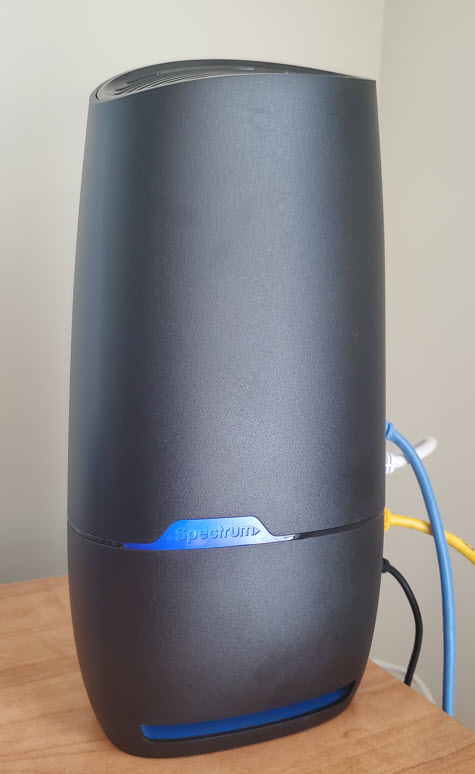
With the interface physically closer to the router,
the listener began to receive data once again. The evidence seemed to
point to a difference in WiFi reception range between routers. Several
other relatively distant devices also had trouble. We later uncovered
other router problems, and replaced the Spectrum router with a better
one, but that is neither here nor there. In order to
continue to upload interesting files from the DOS machine, while
figuring out what to do about the router, I modified the sketch to
forward
data received from the DOS hardware serial port to USB virtual serial,
and named the revised sketch DOS2UDP+USB.ino. This sketch includes the
pushbutton modification as well as send-to-USB.
A friend asked if the USB transfer was fast. The USB
virtual serial speed is as fast as you want, but that makes no
difference because the throughput is limited by the speed of the DOS
COM port and the DOS application that performs the transfer. In other
words, throughput is the same whether UDP or USB is used for the
send-to-Windows part.
A big receive buffer is
needed for transferring very large files over
USB serial. I started with Termite,
but its maximum lines limit could not be adjusted high enough, so I
switched
to PuTTY, where
‘Lines of scrollback’ can be set to a number that exceeds anyone’s
waiting-for-upload-to-finish patience. I set it to 100,000.
Deploying
uploaded DOS applications to a DOS Virtual Machine
qemu and FreeDOS: Many Internet pages describe how
to install a virtual machine under linux. I will not attempt to
summarize this information here, as it is not relevant to the main idea
of transferring old DOS files to Windows or other targets. However, to
facilitate further testing, I followed various ‘How to’ pages to
install and boot FreeDOS under qemu in an Ubuntu 18.04 (i386)
environment. The trickiest part of these deployments was to enable
direct access to FreeDOS over VNC from my Windows 11 computer, with
uncorrupted character translation. By good fortune, that was also
documented somewhere. Finally I created a folder named d.hd in linux to
be accessed as DOS drive D:\ so that executables uploaded from the old
DOS machine could be accessed from within DOS, and verified to run on
the virtual machine. To illustrate the overall process, here is a
command line that boots the pre-installed FreeDOS image with a shared
D:\ drive via a VNC listener on port 5905.
qemu-system-i386
-hda c.hd -boot c -hdb fat:rw:./d.hd/ -vnc 0.0.0.0:5 -k en-us
To exercise the interface with larger files than
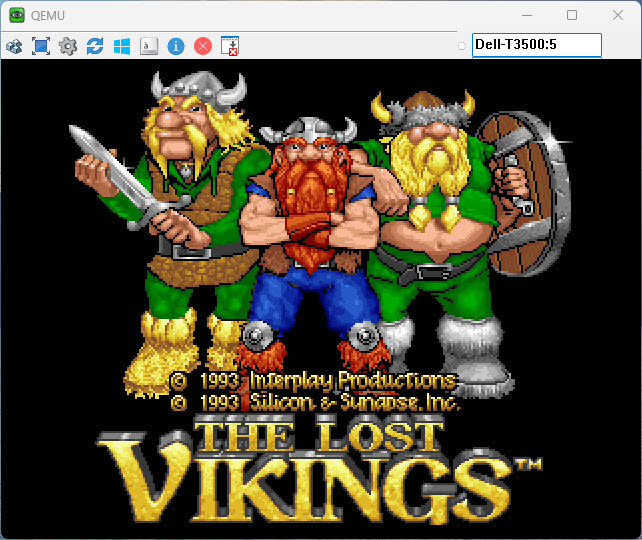
typical documents or source programs, I downloaded The Lost Vikings game. This game
consists of an executable (142,208 bytes) and a large (by DOS
standards) data file (1,570,444 bytes). Of course, the process required
[uu]encoding the files to be transferred and [uu]decoding them after
they were received. Once they had been decoded and copied to the d.hd
folder, an unexpected problem popped up. The game was copy-protected in
a whimsical way, but one that was fairly common back then.
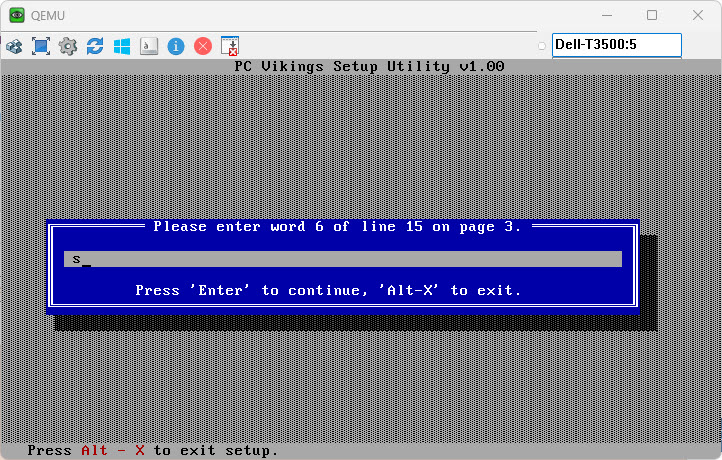
Curiously, a few days previously I had encountered a
similar issue when trying to run a chess program called Sargon4 on the
DOS machine. But that time I was able to locate the paper book that
came with the program, and enter the requested code word. I had no idea
where The Lost Vikings
booklet was, if indeed we still had it. Not to fear, the game booklet
can also be found in facsimile form on the Internet. With this
expedient it was possible to set up the game on the virtual machine.
At this point the game runs silently. I have not
attempted to enable sound in FreeDOS. That would surely require working
from the linux console, which would be awkward due to its inconvenient
location in an upstairs corner.
Final remarks: The serial to
WiFi or USB interface described on this page can be used to transfer
files from an old computer that has only a hardware serial port (no USB
or Ethernet). I tested this concept first by uploading text files, then
also uploading uuencoded files in other native formats (WordPerfect or
zip or exe, etc.). On the receive end, files were decoded either using
uudecode under Linux or the UUD64 program. Decoded files were tested
using MS-Word or 7-zip (or Winzip) under Windows and executables were
tested in a DOS virtual machine. I am aware that MS DOS is also
available for download, but FreeDOS seemed easier to get going and that
is why I chose it for this study.
Demo video: Simple Serial to WiFi Interface
Project descriptions on this page are intended for entertainment only.
The author makes no claim as to the accuracy or completeness of the
information presented. In no event will the author be liable for any
damages, lost effort, inability to carry out a similar project, or to
reproduce a claimed result, or anything else relating to a decision to
use the information on this page.